To check the student behaviour report in his profile, go to Student Information > Student Details.
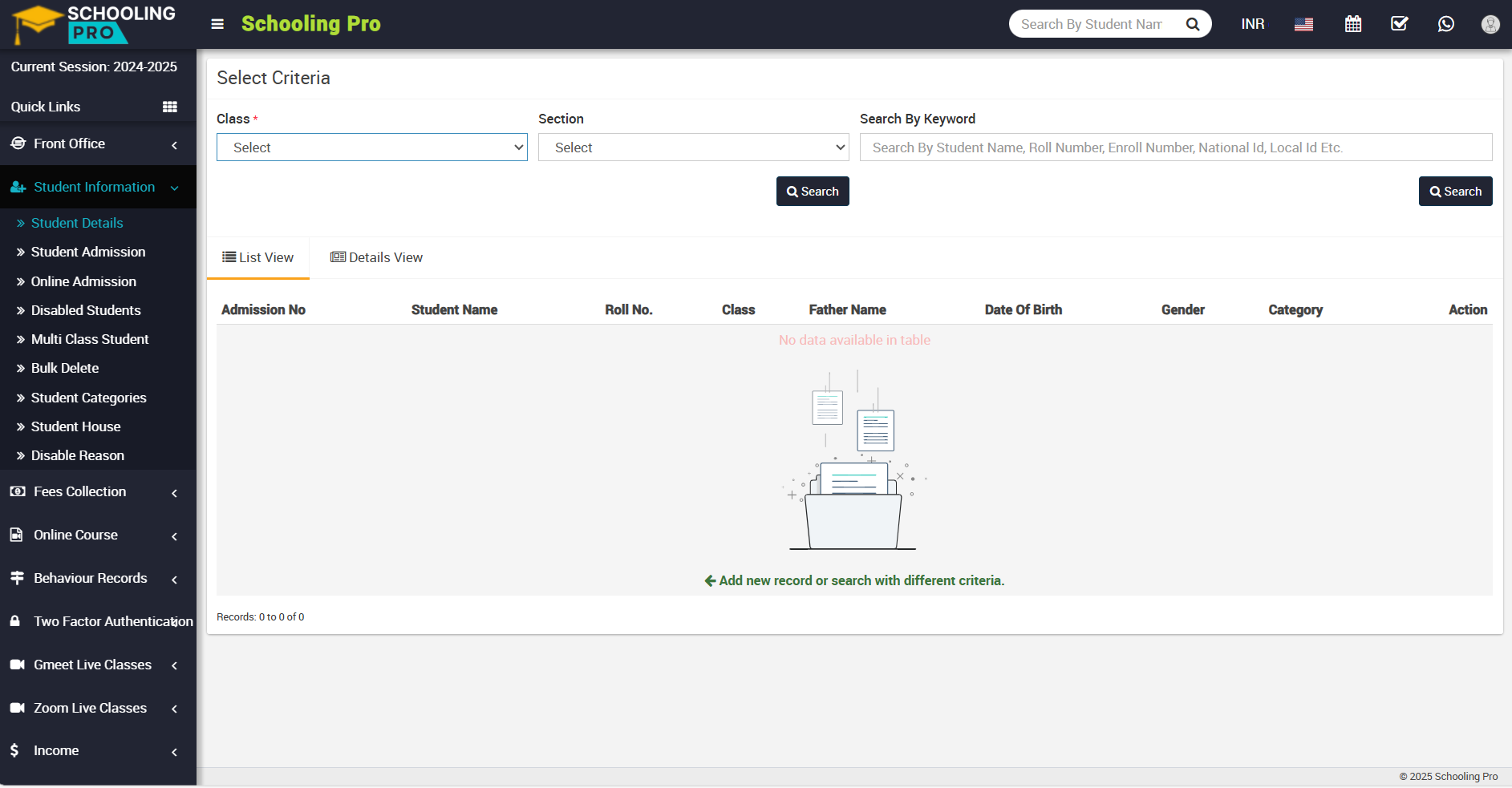
On the right side, the select criteria page will appear now, select the class and section of the student for whom you want to see a behaviour report, and click the search button.
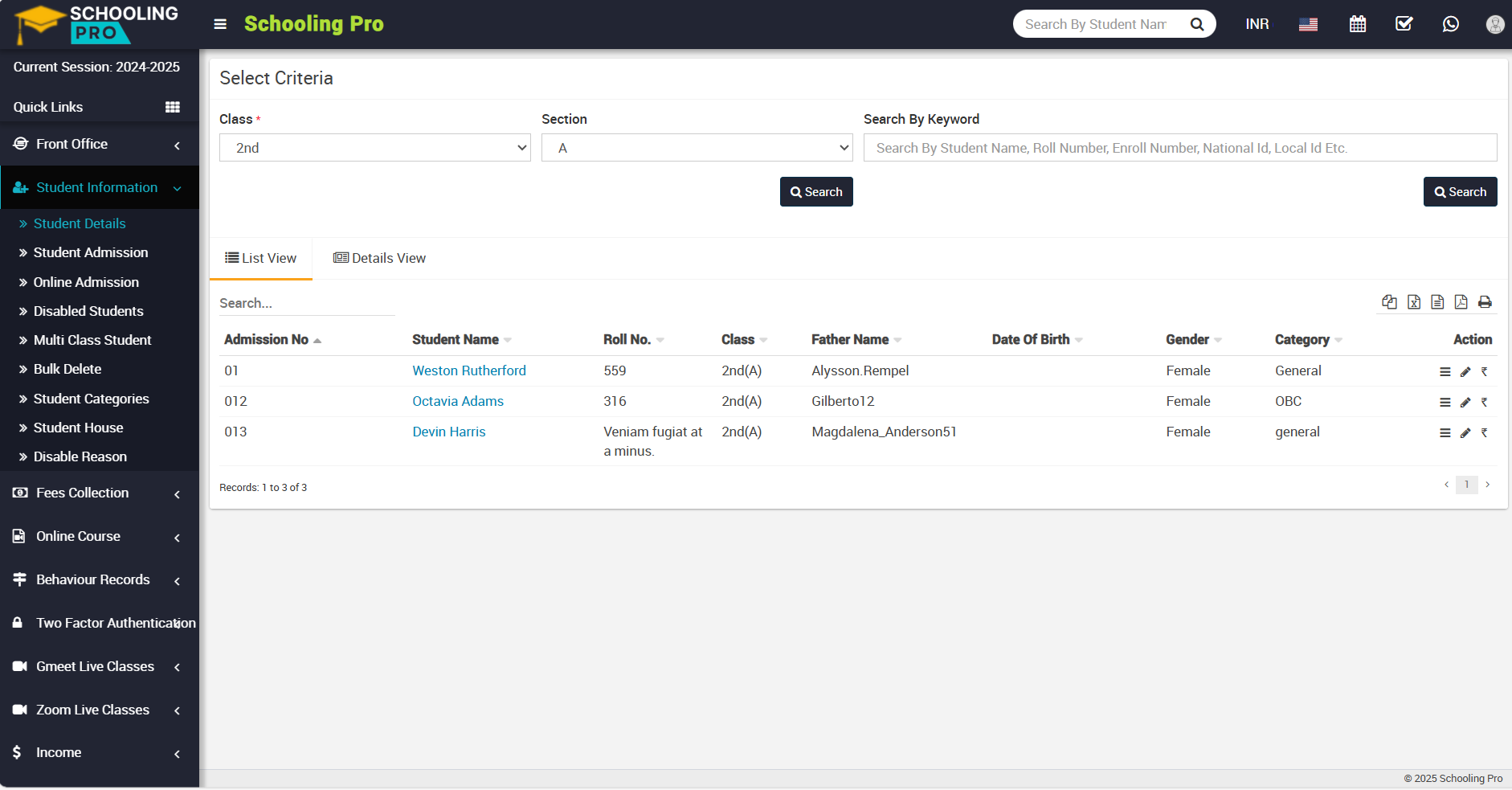
Now, click on the name of the student whose profile you want to view.
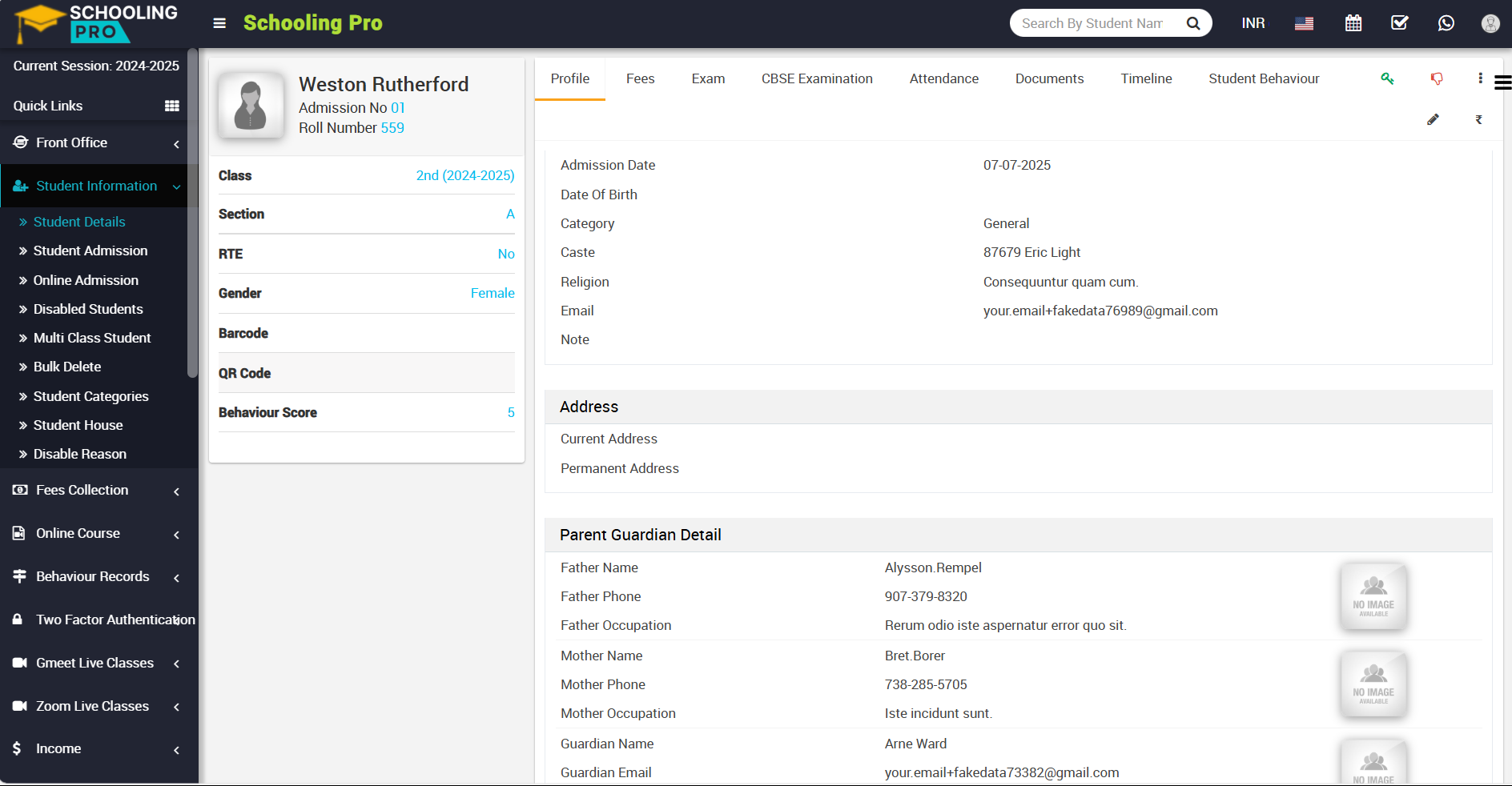
Now click on student behaviour tab which is shown right above.
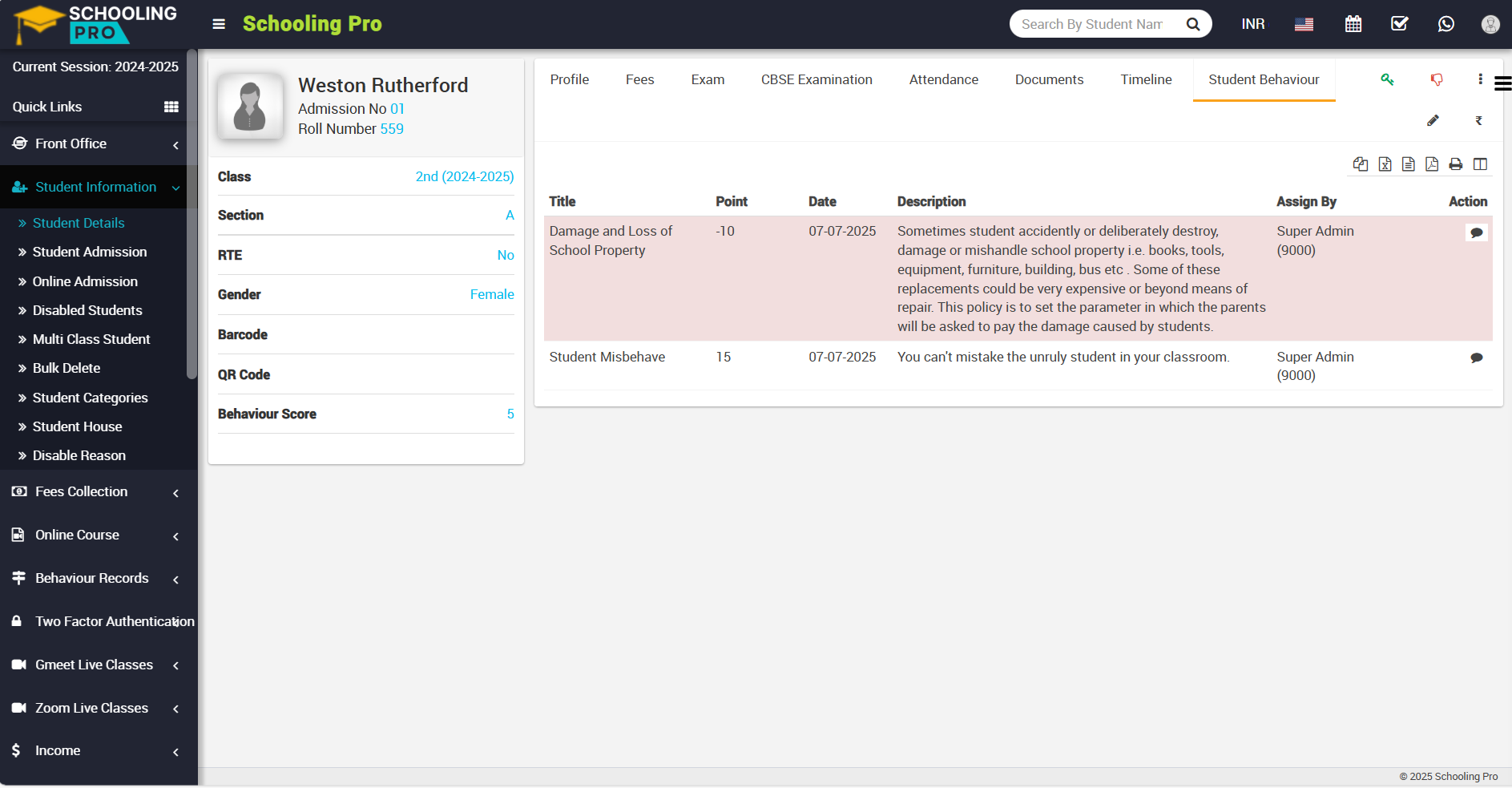
After clicking on student behaviour, you can see the behaviour report details for that particular student.
