To print the marksheet, go to Examinations > Print Marksheet.
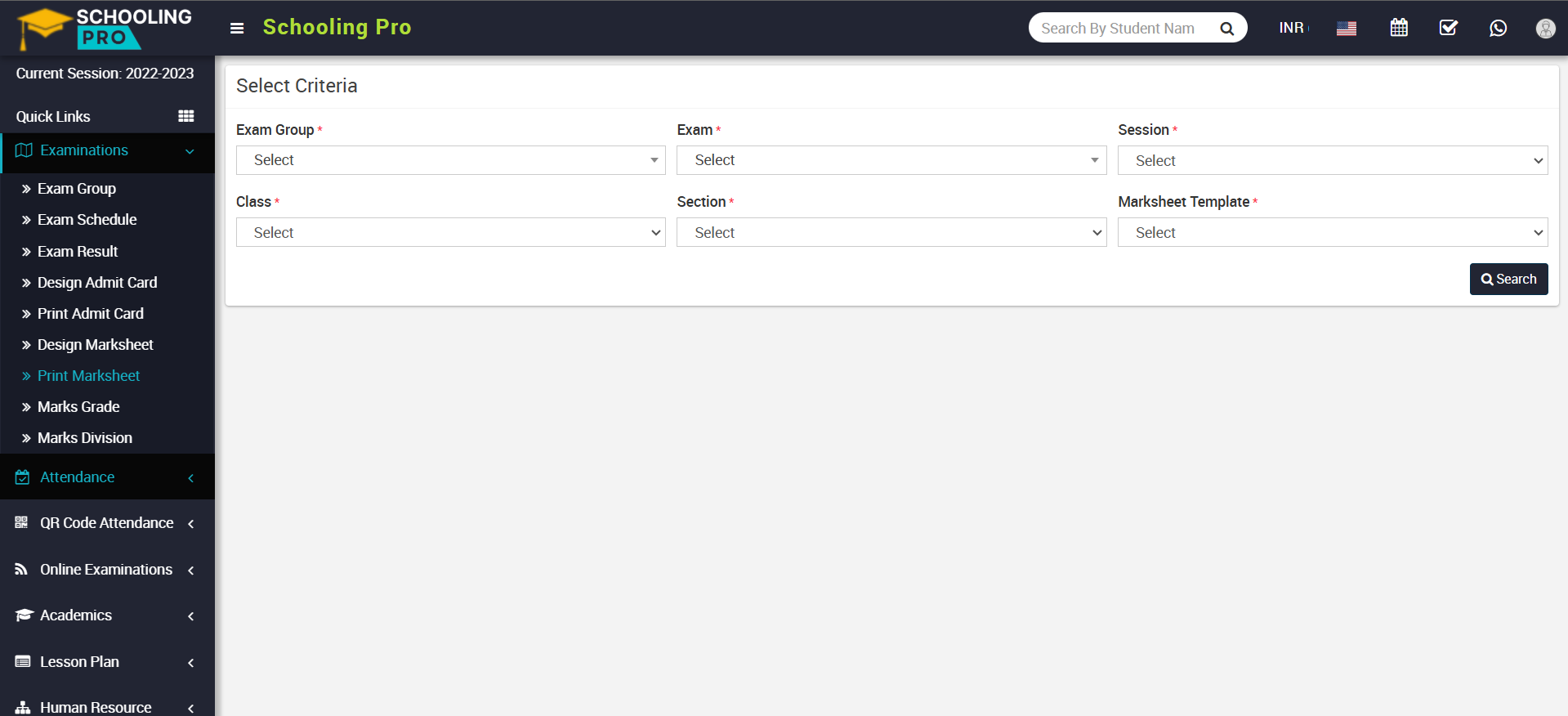
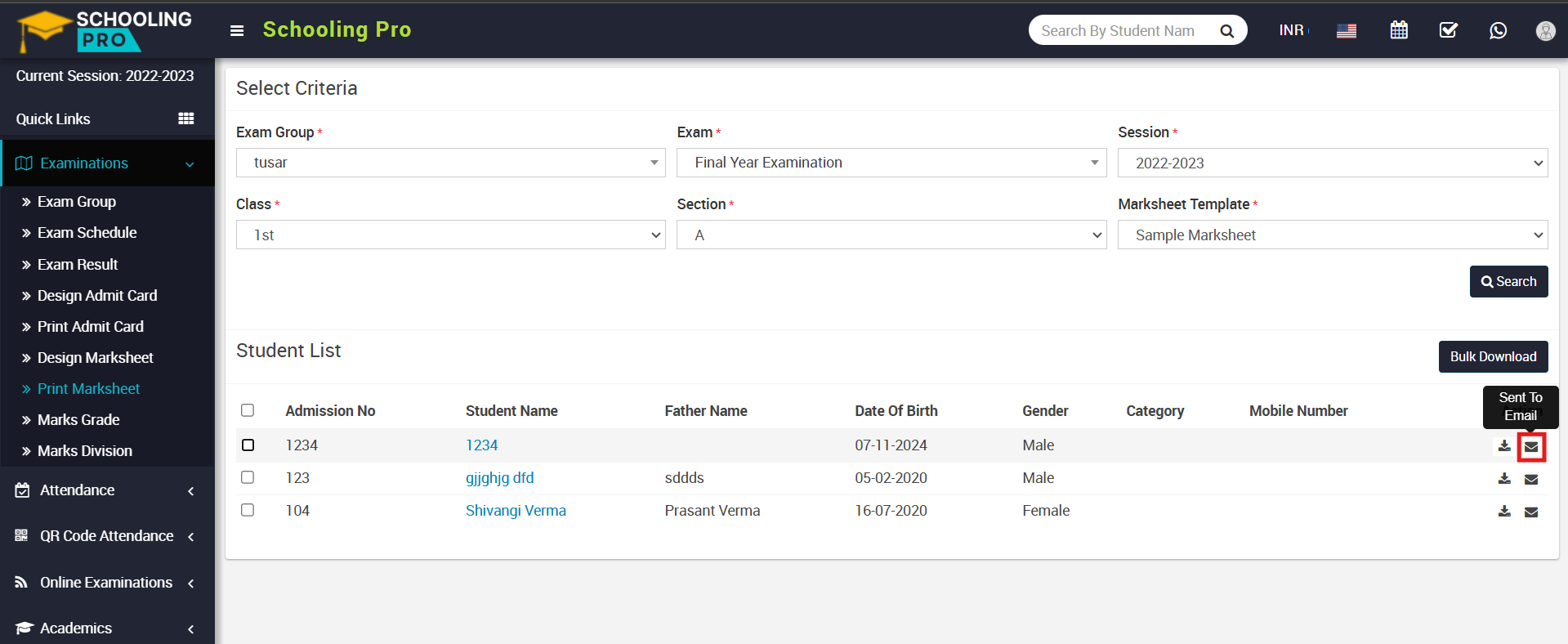
Now select the Exam Group, Exam, Session and Class, Section and Marksheet Template and click on the Search button. The Student List will be displayed below.
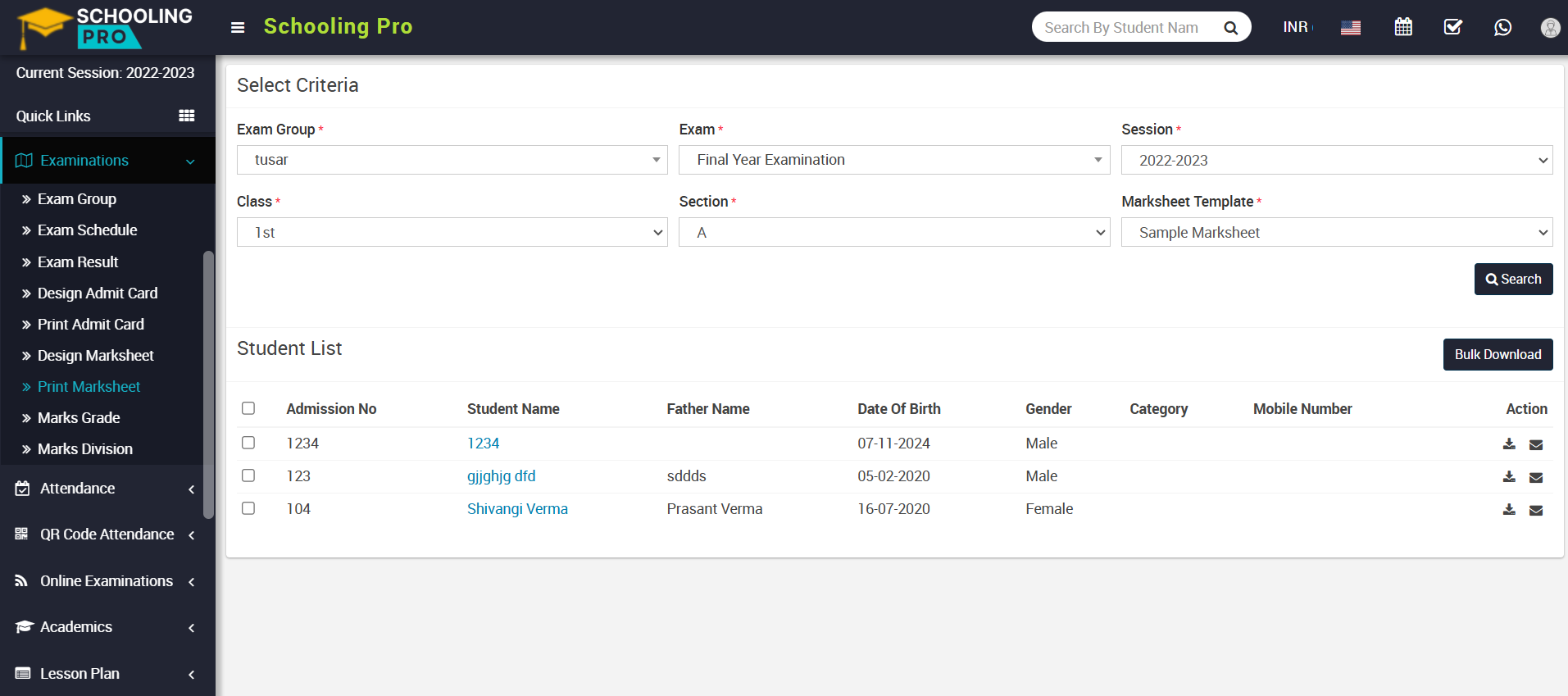
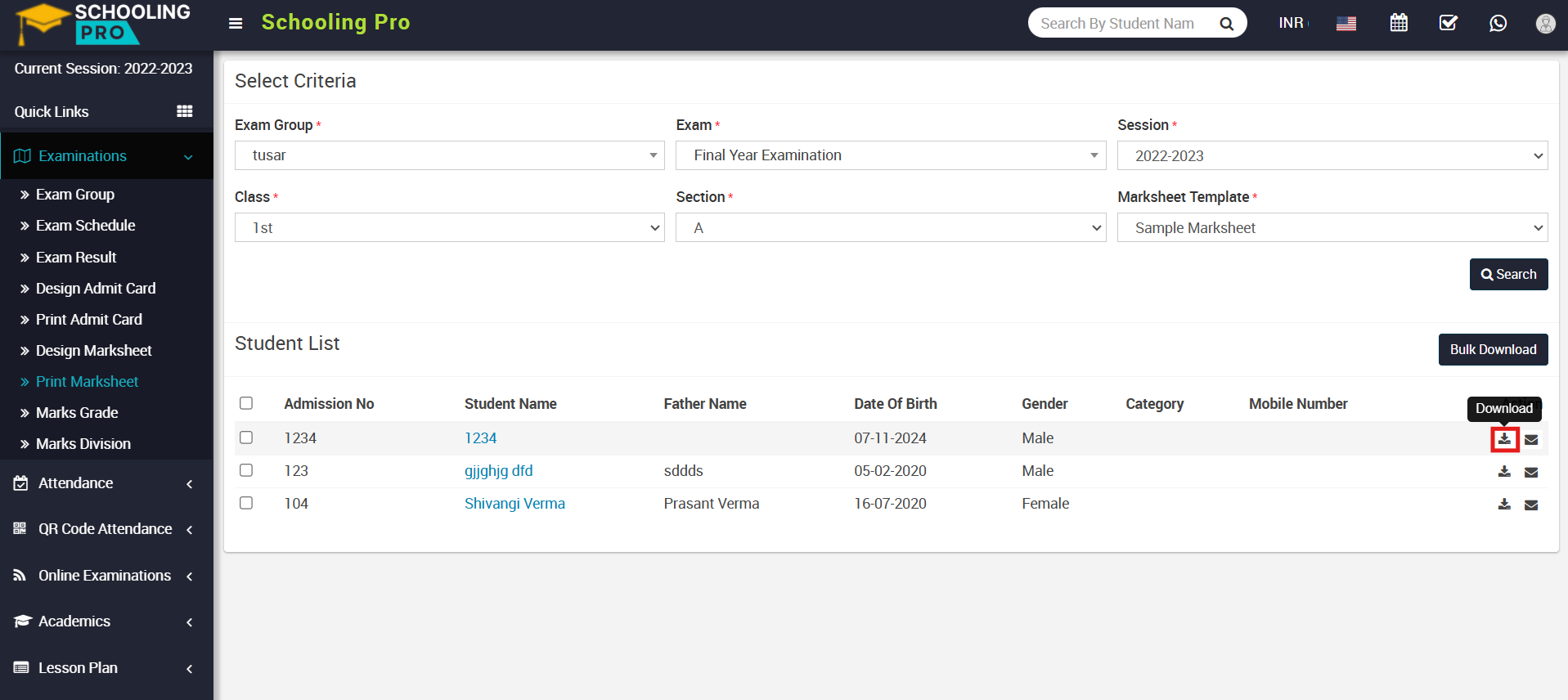
Here you can download the marksheet for an individual student or in bulk. To download the marksheet for a specific student, go to the Action column and click on the Download icon. The marksheet for that student will be downloaded to your system.
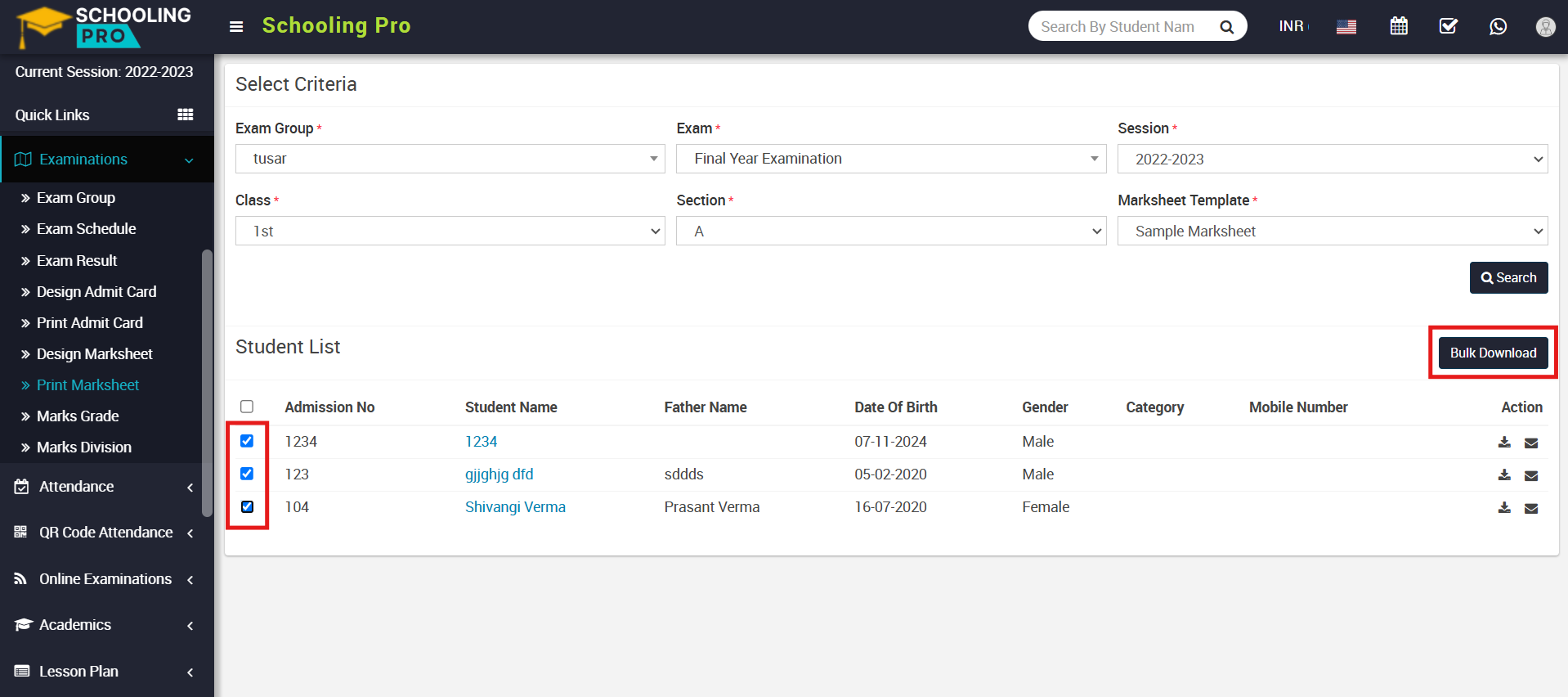
To download multiple marksheets, check the multiple or all checkboxes and click on the Bulk Download button, which is located right above the student list. This will download a bulk marksheet into your system.
To receive your marksheet by email, simply click on the Email icon showing in the Action column.
An email will be successfully sent to your registered email address, which you submitted at the time of admission.
